---
title: Como integrar a Leadster ao Google Sheets
description: Neste tutorial, você aprenderá como integrar a Leadster ao Google Sheets em poucos passos!
---
[Pular para o conteúdo](https://help.leadster.com.br/pt-br/article/229-como-integrar-a-leadster-ao-google-sheets#main-content)
Português - Brasil
Mostrar submenu para traduções
[](https://help.leadster.com.br/pt-br?hsLang=pt-br)
Abrir navegação principal
Fechar navegação principal
- Português - Brasil
Mostrar submenu para traduções
- [Fale conosco](https://survey.hsforms.com/1dmIUytXBR8KNMnTsArZOZQejqhe)
[Fale conosco](https://survey.hsforms.com/1dmIUytXBR8KNMnTsArZOZQejqhe)
Como podemos te ajudar?
- Não há sugestões porque o campo de pesquisa está em branco.
1. [Central de Ajuda - Leadster](https://help.leadster.com.br/pt-br?hsLang=pt-br)
2. [Integrações](https://help.leadster.com.br/pt-br/integra%C3%A7%C3%B5es?hsLang=pt-br)
3. [Automação de marketing e outras ferramentas](https://help.leadster.com.br/pt-br/integra%C3%A7%C3%B5es?hsLang=pt-br#automa%C3%A7%C3%A3o-de-marketing-e-outras-ferramentas)
# Como integrar a Leadster ao Google Sheets
**Neste artigo**
- [Visão geral](https://help.leadster.com.br/pt-br/article/229-como-integrar-a-leadster-ao-google-sheets#visao-geral)
- [Passo a passo](https://help.leadster.com.br/pt-br/article/229-como-integrar-a-leadster-ao-google-sheets#passo-a-passo)
## Visão geral
Neste tutorial, você aprenderá como integrar a **Leadster ao Google Sheets** em poucos passos!
## Passo a passo
**No Google Sheets:**
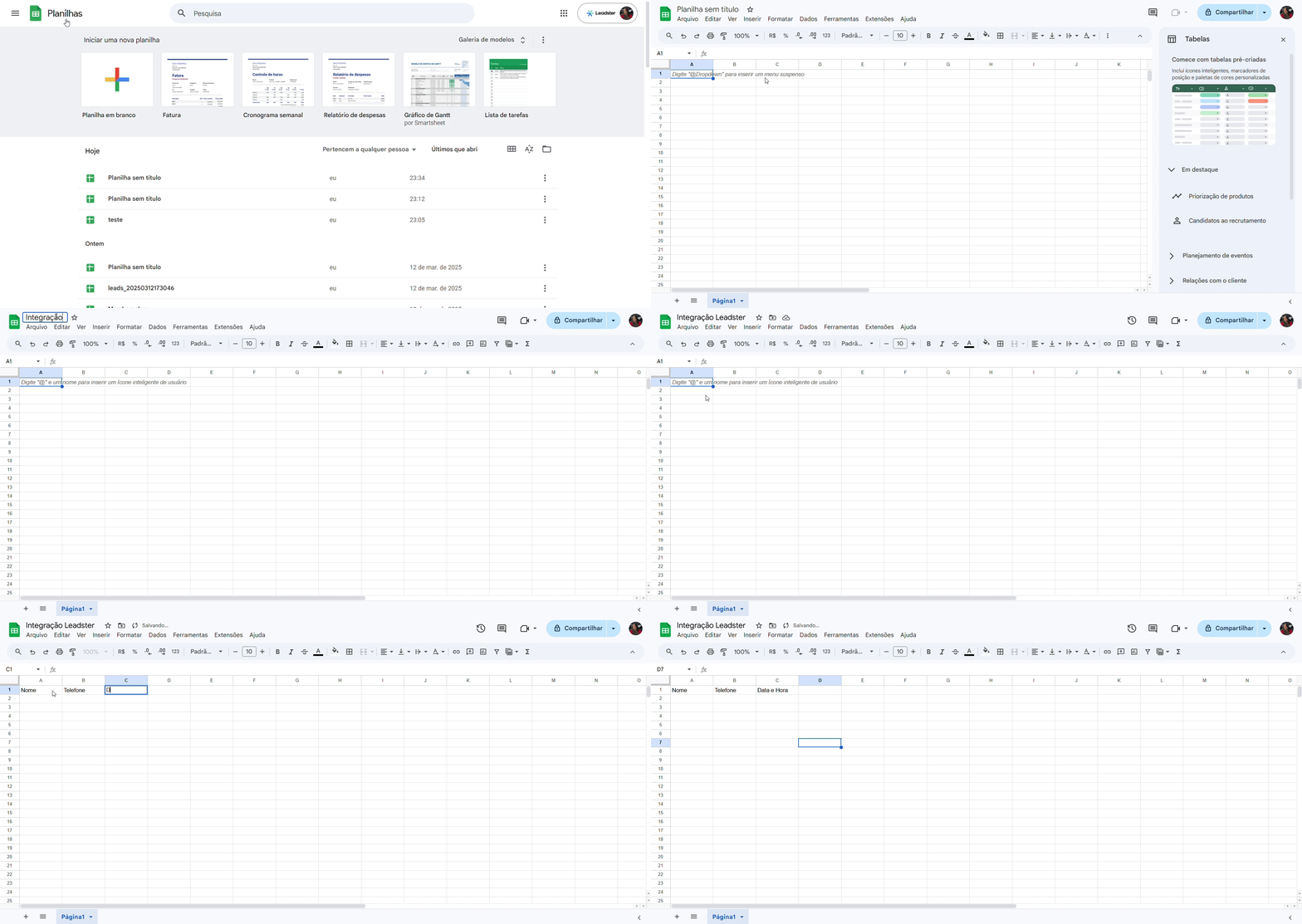
1. O primeiro passo é criar uma planilha no sheets, ela será responsável por receber os dados.
2. Em seguida, defina as informações que você deseja receber nesta integração e incluia na primeira linha da planilha o nome dos campos. Exemplo: Nome, telefone, E-mail, Data e Hora, entre outros.
**Na plataforma:**
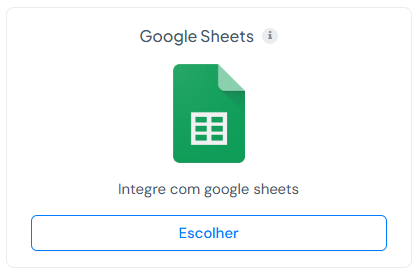
1. Acesse a aba de **Integrações**, localize a logo do "Google Sheets" e clique em "Escolher":
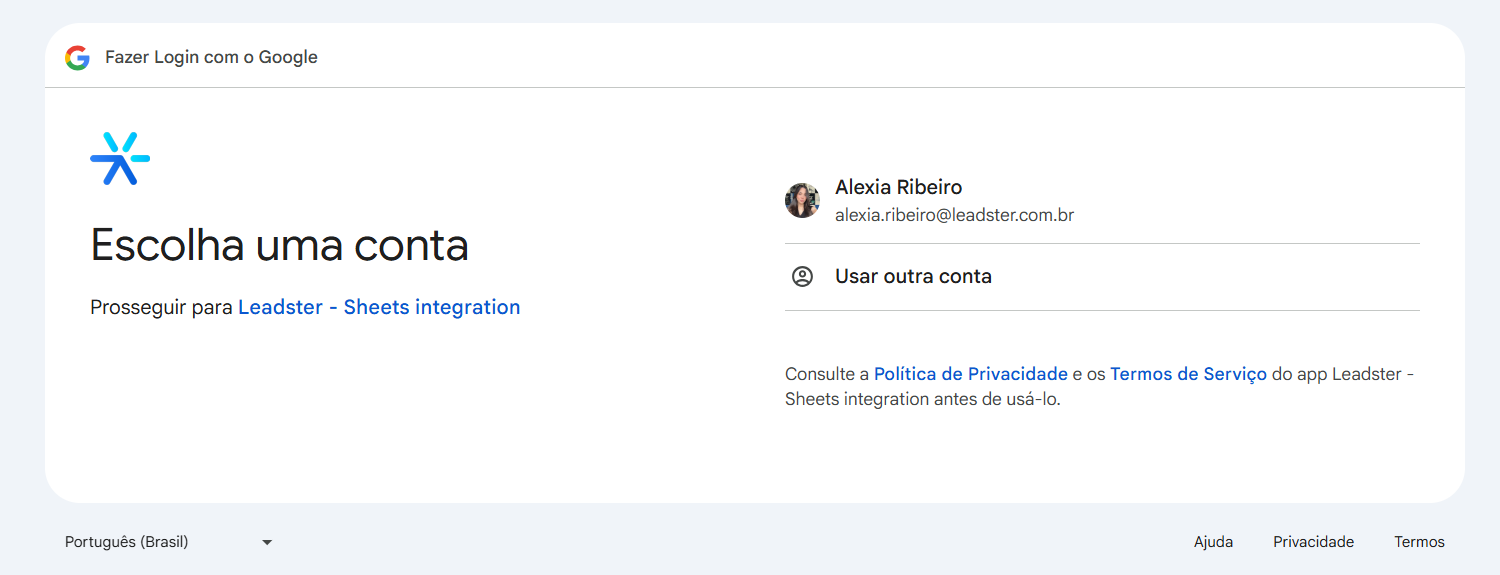
1. Em seguida, uma nova tela será exibida para que você possa iniciar sessão com sua conta do Google:
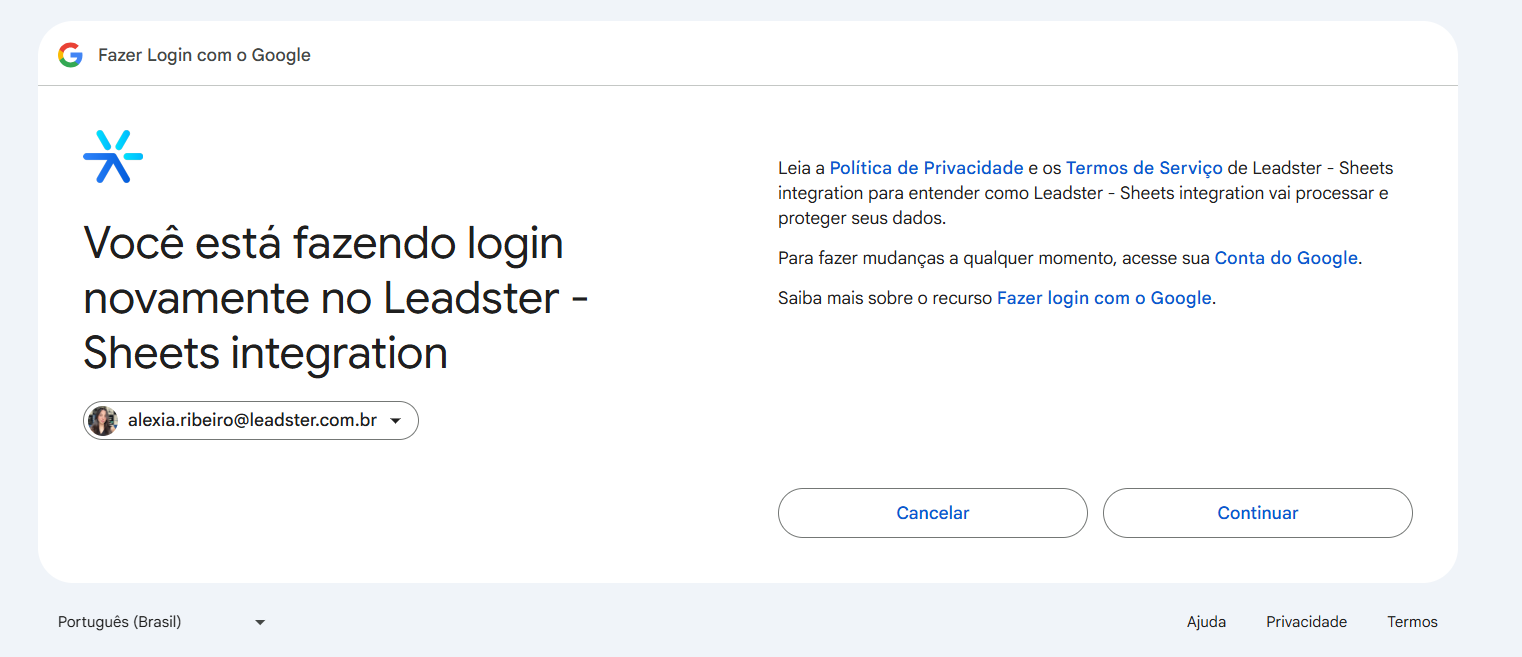
1. Clique em "Continuar":
1. E em seguida em "Permitir":
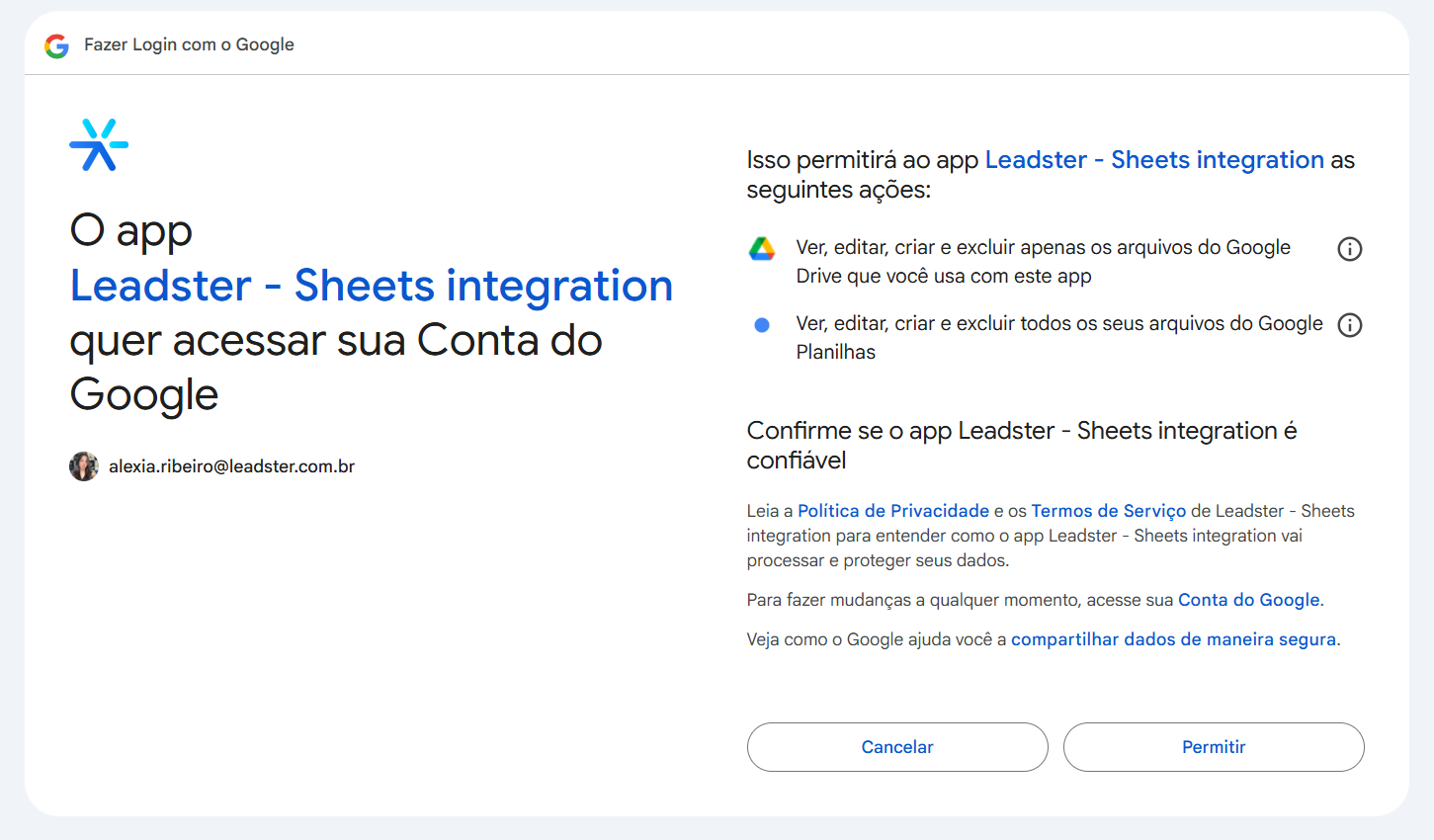
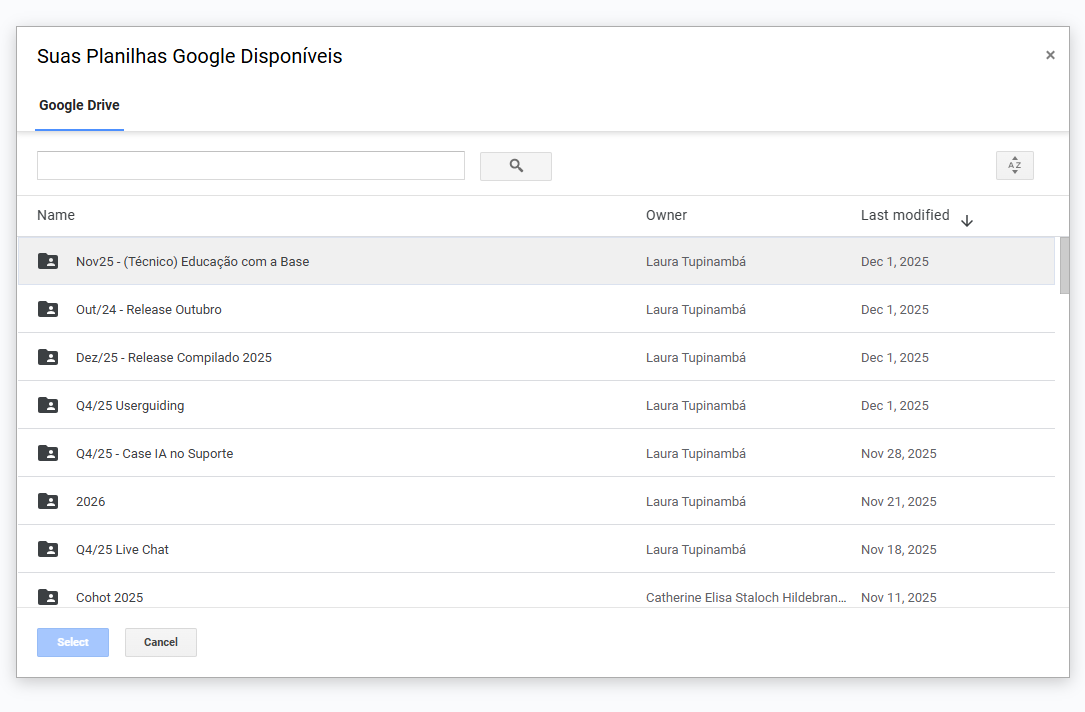
1. Após conectar-se, selecione a planilha que receberá os dados:
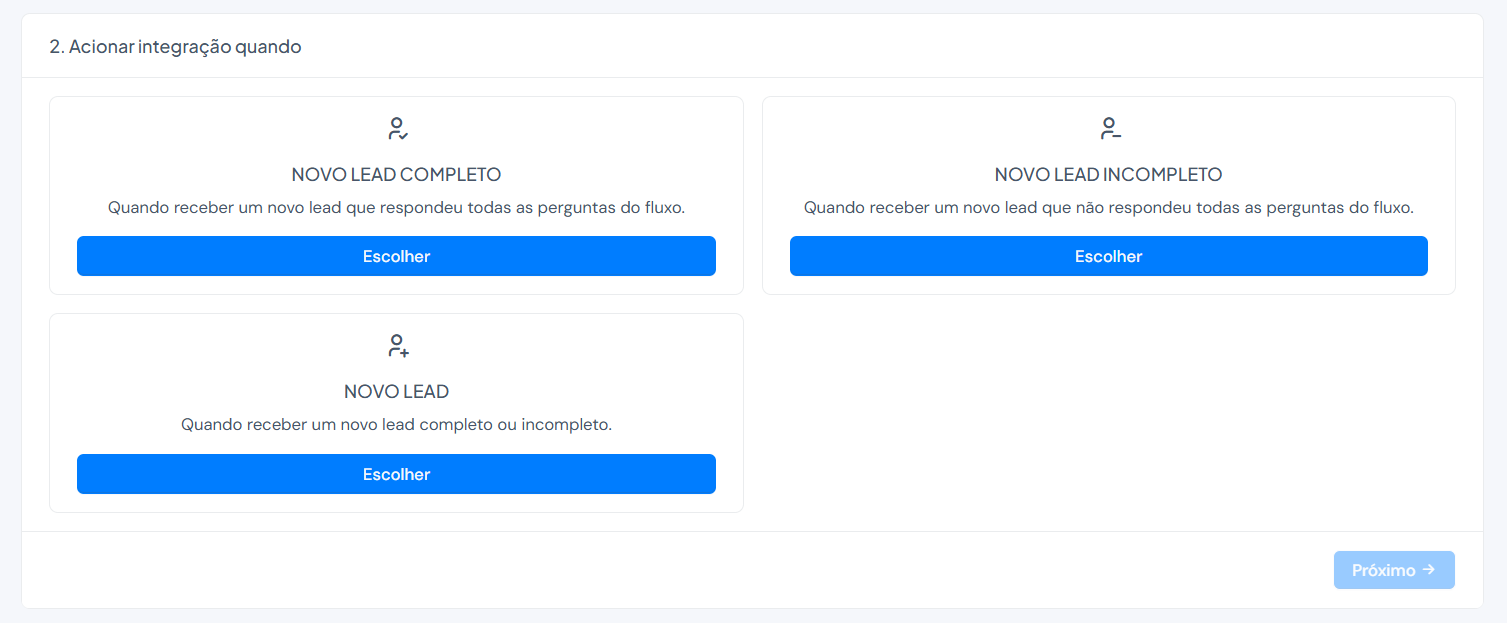
1. Selecione o tipo de lead que deseja receber, completo, incompleto ou ambos:
1. Selecione o fluxo que deseja integrar:

1. Agora, relacione as informações configuradas na planilha, associando os campos da Leadster em cada opção:
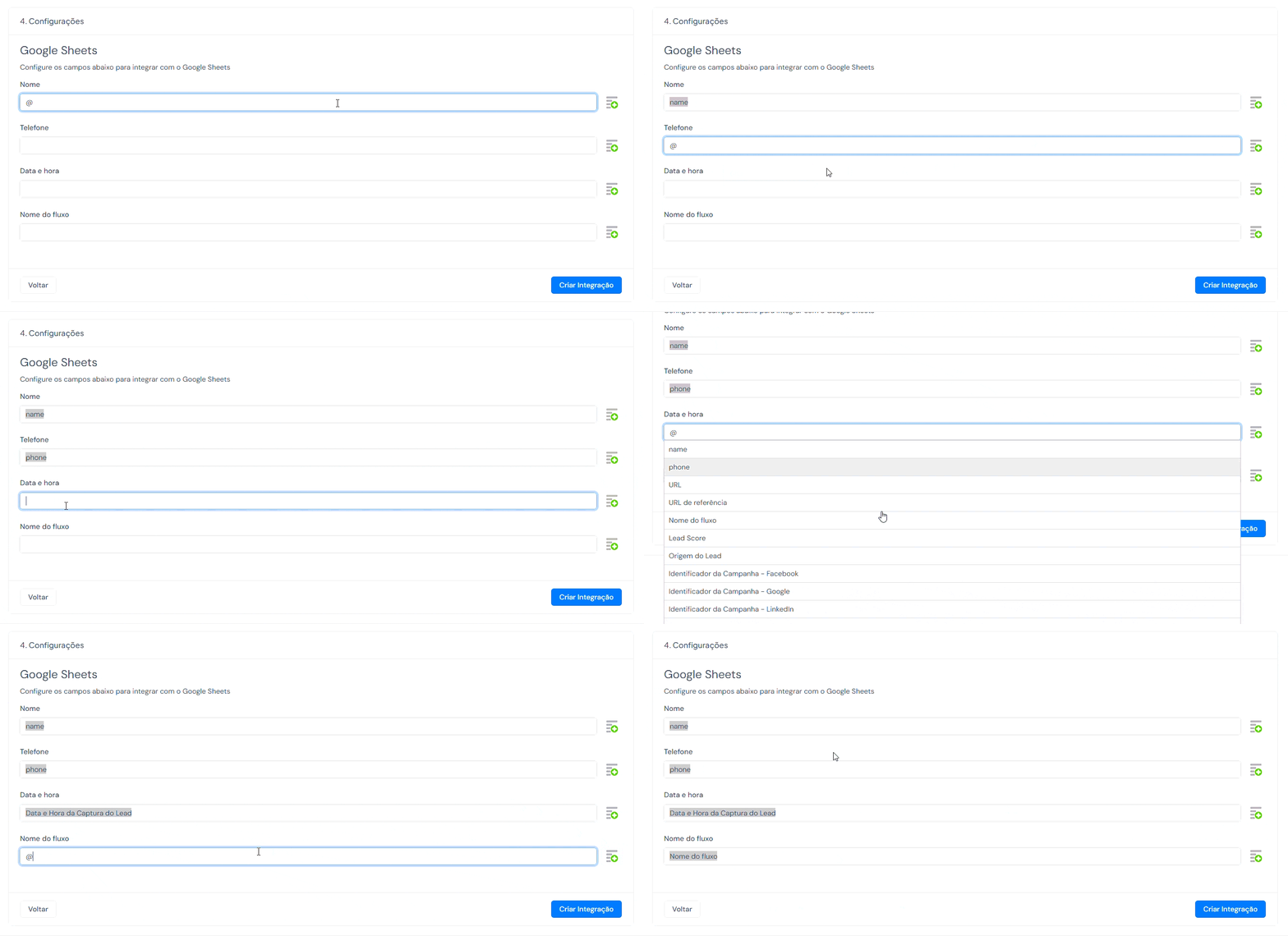
Pronto, sua integração está configurada!
Recomendamos que você faça um teste para garantir que a integração está funcionando. Depois, acesse a planilha e verifique se as informações foram enviadas corretamente, ok?
Qualquer dúvida, entre em contato com a nossa equipe via suporte.
Abraços 👋
- [WhatsApp Suite](https://help.leadster.com.br/pt-br/whatsapp-suite?hsLang=pt-br#main-content)
- [Erros e soluções](https://help.leadster.com.br/pt-br/whatsapp-suite?hsLang=pt-br#erros-e-solu%C3%A7%C3%B5es)
- [Templates](https://help.leadster.com.br/pt-br/whatsapp-suite?hsLang=pt-br#templates)
- [Equipe e configurações](https://help.leadster.com.br/pt-br/whatsapp-suite?hsLang=pt-br#equipe-e-configura%C3%A7%C3%B5es)
- [Campanhas e disparos](https://help.leadster.com.br/pt-br/whatsapp-suite?hsLang=pt-br#campanhas-e-disparos)
- [Relatórios](https://help.leadster.com.br/pt-br/whatsapp-suite?hsLang=pt-br#relat%C3%B3rios)
- [Agente de IA](https://help.leadster.com.br/pt-br/whatsapp-suite?hsLang=pt-br#agente-de-ia)
- [Caixa de entrada e conversas](https://help.leadster.com.br/pt-br/whatsapp-suite?hsLang=pt-br#caixa-de-entrada-e-conversas)
- [Integrações e rastreamento de origem](https://help.leadster.com.br/pt-br/whatsapp-suite?hsLang=pt-br#integra%C3%A7%C3%B5es-e-rastreamento-de-origem)
- [Primeiros passos](https://help.leadster.com.br/pt-br/whatsapp-suite?hsLang=pt-br#primeiros-passos)
- [Website Suite](https://help.leadster.com.br/pt-br/website-suite?hsLang=pt-br#main-content)
- [Instalação no site](https://help.leadster.com.br/pt-br/website-suite?hsLang=pt-br#instala%C3%A7%C3%A3o-no-site)
- [Design e exibição](https://help.leadster.com.br/pt-br/website-suite?hsLang=pt-br#design-e-exibi%C3%A7%C3%A3o)
- [Eventos de conversão (GA4, Meta e Ads)](https://help.leadster.com.br/pt-br/website-suite?hsLang=pt-br#eventos-de-convers%C3%A3o-ga4-meta-e-ads)
- [Agente de IA e Live Chat](https://help.leadster.com.br/pt-br/website-suite?hsLang=pt-br#agente-de-ia-e-live-chat)
- [Criar e editar o fluxo](https://help.leadster.com.br/pt-br/website-suite?hsLang=pt-br#criar-e-editar-o-fluxo)
- [Qualificação e condicionais](https://help.leadster.com.br/pt-br/website-suite?hsLang=pt-br#qualifica%C3%A7%C3%A3o-e-condicionais)
- [Dashboard e Analytics](https://help.leadster.com.br/pt-br/website-suite?hsLang=pt-br#dashboard-e-analytics)
- [Chamadas de conversão](https://help.leadster.com.br/pt-br/website-suite?hsLang=pt-br#chamadas-de-convers%C3%A3o)
- [Redirecionamento para WhatsApp e agenda](https://help.leadster.com.br/pt-br/website-suite?hsLang=pt-br#redirecionamento-para-whatsapp-e-agenda)
- [Fluxos por página e dispositivo](https://help.leadster.com.br/pt-br/website-suite?hsLang=pt-br#fluxos-por-p%C3%A1gina-e-dispositivo)
- [Leads do chat do site](https://help.leadster.com.br/pt-br/website-suite?hsLang=pt-br#leads-do-chat-do-site)
- [ShopBot](https://help.leadster.com.br/pt-br/shopbot?hsLang=pt-br#main-content)
- [Conectar sua loja](https://help.leadster.com.br/pt-br/shopbot?hsLang=pt-br#conectar-sua-loja)
- [Configurar o ShopBot](https://help.leadster.com.br/pt-br/shopbot?hsLang=pt-br#configurar-o-shopbot)
- [Integrações](https://help.leadster.com.br/pt-br/integra%C3%A7%C3%B5es?hsLang=pt-br#main-content)
- [Eventos de marketing (Meta e GA4)](https://help.leadster.com.br/pt-br/integra%C3%A7%C3%B5es?hsLang=pt-br#eventos-de-marketing-meta-e-ga4)
- [RD Station](https://help.leadster.com.br/pt-br/integra%C3%A7%C3%B5es?hsLang=pt-br#rd-station)
- [CRMs](https://help.leadster.com.br/pt-br/integra%C3%A7%C3%B5es?hsLang=pt-br#crms)
- [Webhook e conectores](https://help.leadster.com.br/pt-br/integra%C3%A7%C3%B5es?hsLang=pt-br#webhook-e-conectores)
- [Automação de marketing e outras ferramentas](https://help.leadster.com.br/pt-br/integra%C3%A7%C3%B5es?hsLang=pt-br#automa%C3%A7%C3%A3o-de-marketing-e-outras-ferramentas)
- [Visão geral e solução de problemas](https://help.leadster.com.br/pt-br/integra%C3%A7%C3%B5es?hsLang=pt-br#vis%C3%A3o-geral-e-solu%C3%A7%C3%A3o-de-problemas)
- [Leads e relatórios](https://help.leadster.com.br/pt-br/leads-e-relat%C3%B3rios?hsLang=pt-br#main-content)
- [Recebimento e relatórios de leads](https://help.leadster.com.br/pt-br/leads-e-relat%C3%B3rios?hsLang=pt-br#recebimento-e-relat%C3%B3rios-de-leads)
- [Conta e planos](https://help.leadster.com.br/pt-br/conta-e-planos?hsLang=pt-br#main-content)
- [Assinatura, pagamento e cancelamento](https://help.leadster.com.br/pt-br/conta-e-planos?hsLang=pt-br#assinatura-pagamento-e-cancelamento)
- [Conheça a Leadster](https://help.leadster.com.br/pt-br/conta-e-planos?hsLang=pt-br#conhe%C3%A7a-a-leadster)
- [Acesso, usuários e segurança](https://help.leadster.com.br/pt-br/conta-e-planos?hsLang=pt-br#acesso-usu%C3%A1rios-e-seguran%C3%A7a)
- [Planos e teste grátis](https://help.leadster.com.br/pt-br/conta-e-planos?hsLang=pt-br#planos-e-teste-gr%C3%A1tis)
[](https://leadster.com.br/?hsLang=pt-br)
[mailto:atendimento@leadster.com.br](mailto:atendimento@leadster.com.br)
Copyright © 2026, Leadster